
Dealer Partner Guide
DealerCenter BHPH Export Guide
Exporting a BHPH Data File from DealerCenter
Follow these steps to prepare, download, and send your BHPH account data to Auto Capital Express.
Sign in > Reports > Management > BHPH >
Export BHPH Account > Wait > Return > Download
Open Reports
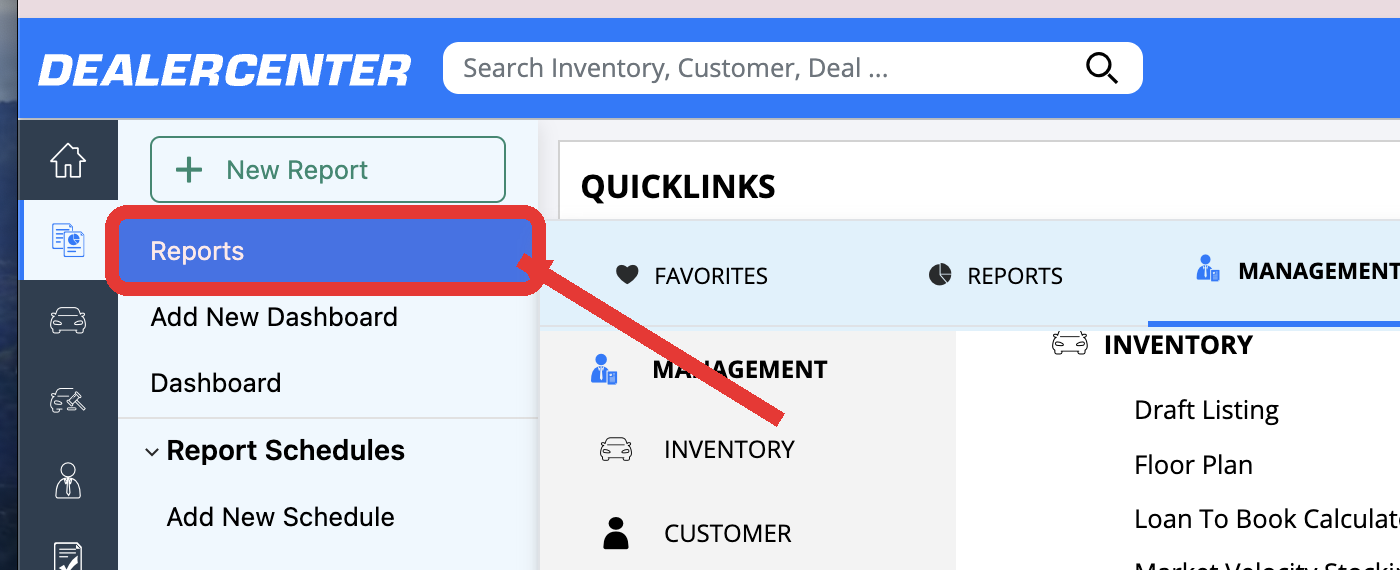
Log in to DealerCenter. After the home page loads, look at the navigation menu on the far left. Click Reports, located directly under the Home (house) icon.
Select the Management tab
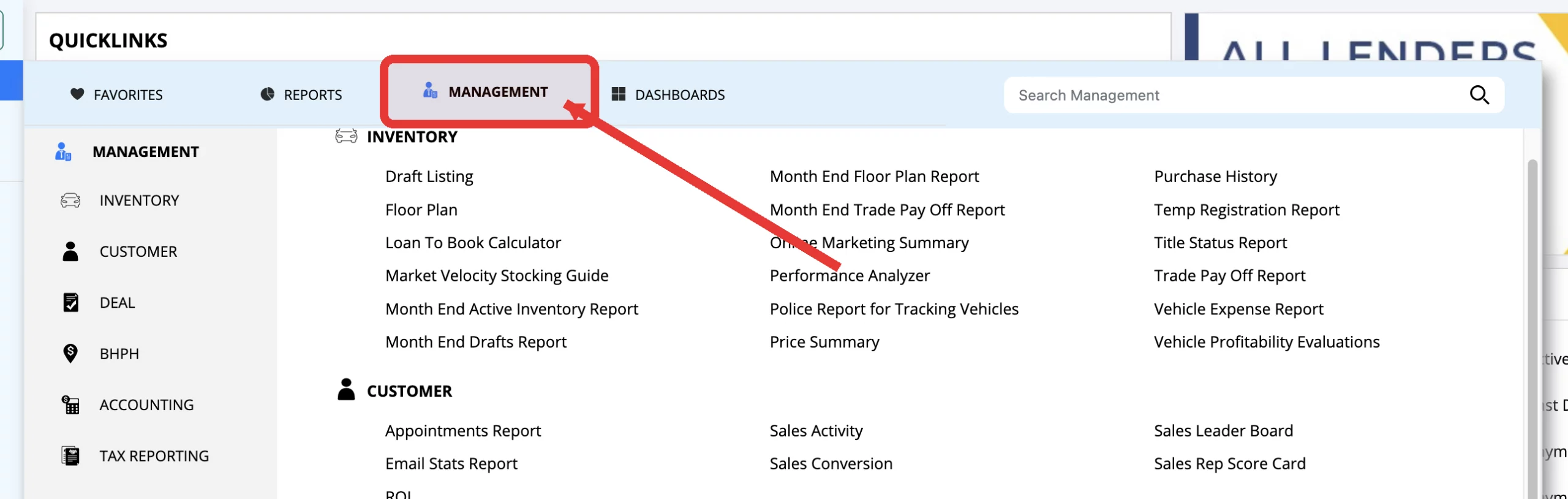
A Quicklinks window opens. At the top of that window, click Management. It appears between Reports and Dashboards.
Find the BHPH section
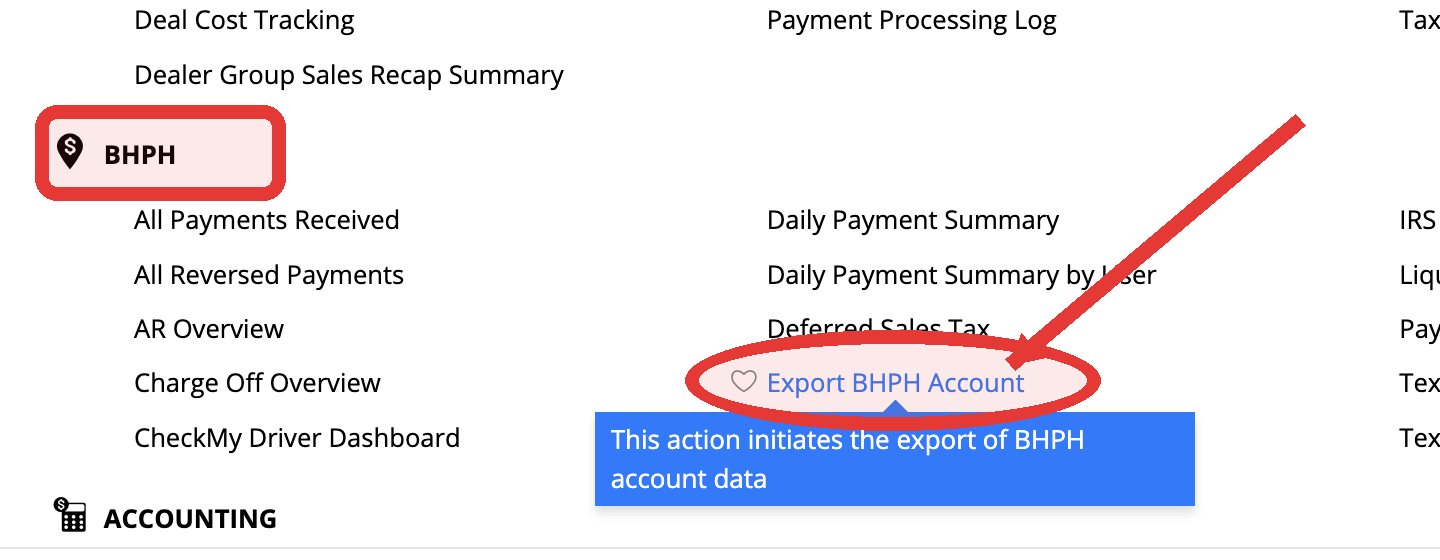
Scroll inside the Management reports window. Move down toward the middle-to-bottom of the report list until you see the BHPH heading on the left side.
Click Export BHPH Account
Under the BHPH heading, locate Export BHPH Account. Click the blue report name once to start preparing the data file.
Let DealerCenter prepare the file
After you click the report, DealerCenter starts building the export. You will see this message:
The file you are requesting will take a few moments to prepare.
Please check back and retrieve your file in a few minutes.
What to do
- Wait a few minutes while DealerCenter prepares the file.
- Do not repeatedly click the export link while it is processing.
Return and download the prepared file
Repeat the same path: Reports > Management > BHPH > Export BHPH Account. When the file is ready, DealerCenter will provide a download option for the prepared export.
Click Download (or the prepared file link), then save the file to your computer. It will usually appear in your Downloads folder.
Send the downloaded file
Use the original file you downloaded. Do not open, edit, rename, or convert it unless Auto Capital Express asks you to.
Final Check
- The export finished downloading.
- The original file was uploaded without opening or editing it.
- You received an upload confirmation.
- Keep a copy until Auto Capital Express confirms receipt.
Need help? Contact your Auto Capital Express representative.
If you need help exporting the DealerCenter file or want to discuss a BHPH portfolio review, the Auto Capital Express team is ready to help.
Explore BHPH Portfolio Solutions, review the nationwide portfolio sale guide, browse dealer resources, or use the sibling Frazer upload guide before beginning.
